
CVE-2025-67733 : RESP Injection
1. CVE Info
- CVE
- https://nvd.nist.gov/vuln/detail/CVE-2025-67733
- PoC
- https://github.com/JYlab/CVE-2025-67733
- GitHub Security Advisory
- https://github.com/valkey-io/valkey/security/advisories/GHSA-p876-p7q5-hv2m
- Valkey Patch
- Affected: 9.0.1 and below
- Patched: 9.0.2, 8.1.6, 8.0.7, 7.2.12
- Redis Patch
- Affected: 8.4.1 and below
- Patched: 8.4.2, 8.2.5, 8.0.6, 7.4.8, 7.2.13
- CVSS:3.1/AV:N/AC:L/PR:L/UI:N/S:C/C:N/I:L/A:H (8.5/10)
2. Overview
This post explains the RESP injection attack. The analysis is based on Valkey version 8.1.4 source code.
This vulnerability can be exploited to cause socket poisoning on the Valkey server, allowing data forgery, as well as DoS attacks.
The attack method involves running the following Lua script via Valkey’s EVAL command.

To understand how this can trigger a vulnerability, it is necessary to understand RESP, Lua script execution flow, the redis.error_reply() server API, and the error() built-in function.
Therefore, I will first explain the background knowledge before sharing the vulnerability analysis. Following that, I will walk through the details of the vulnerability itself.
3. About RESP (Redis Serialization Protocol)
RESP (Redis Serialization Protocol) is the serialization protocol used for client↔server command/response communication in Valkey and Redis. It is delimited by a type prefix and CRLF (\r\n), and Bulk types explicitly specify their length.
The main types (Simple String, Error, Integer, Bulk String, Array) and usage examples are as follows.
Simple String (success message)
- Protocol:
+ - Example:
+OK\r\n,+PONG\r\n
Error (failure reason)
- Protocol:
- - Example:
-ERR unknown command 'HELLO'\r\n
Integer (integer return - count/increment result, etc.)
- Protocol:
: - Example:
:0\r\n,:123\r\n
Bulk String (length + data - value/binary)
- Protocol:
$ - Example:
$5\r\nhello\r\n,$-1\r\n(null),$0\r\n\r\n(empty)
Array (list of multiple RESP values - commands are usually in this form)
- Protocol:
* - Example:
*0\r\n,*2\r\n$3\r\nfoo\r\n$3\r\nbar\r\n,*3\r\n$3\r\nSET\r\n$3\r\nkey\r\n$5\r\nvalue\r\n
4. Lua Script Execution Flow
When a Lua script is executed via the EVAL command in Valkey, it is processed in the following flow.
EVAL command → luaCallFunction() → Lua script execution → (on error) → error handling → client response
luaCallFunction()
luaCallFunction() is the core function that executes the Lua script and handles the result or error.
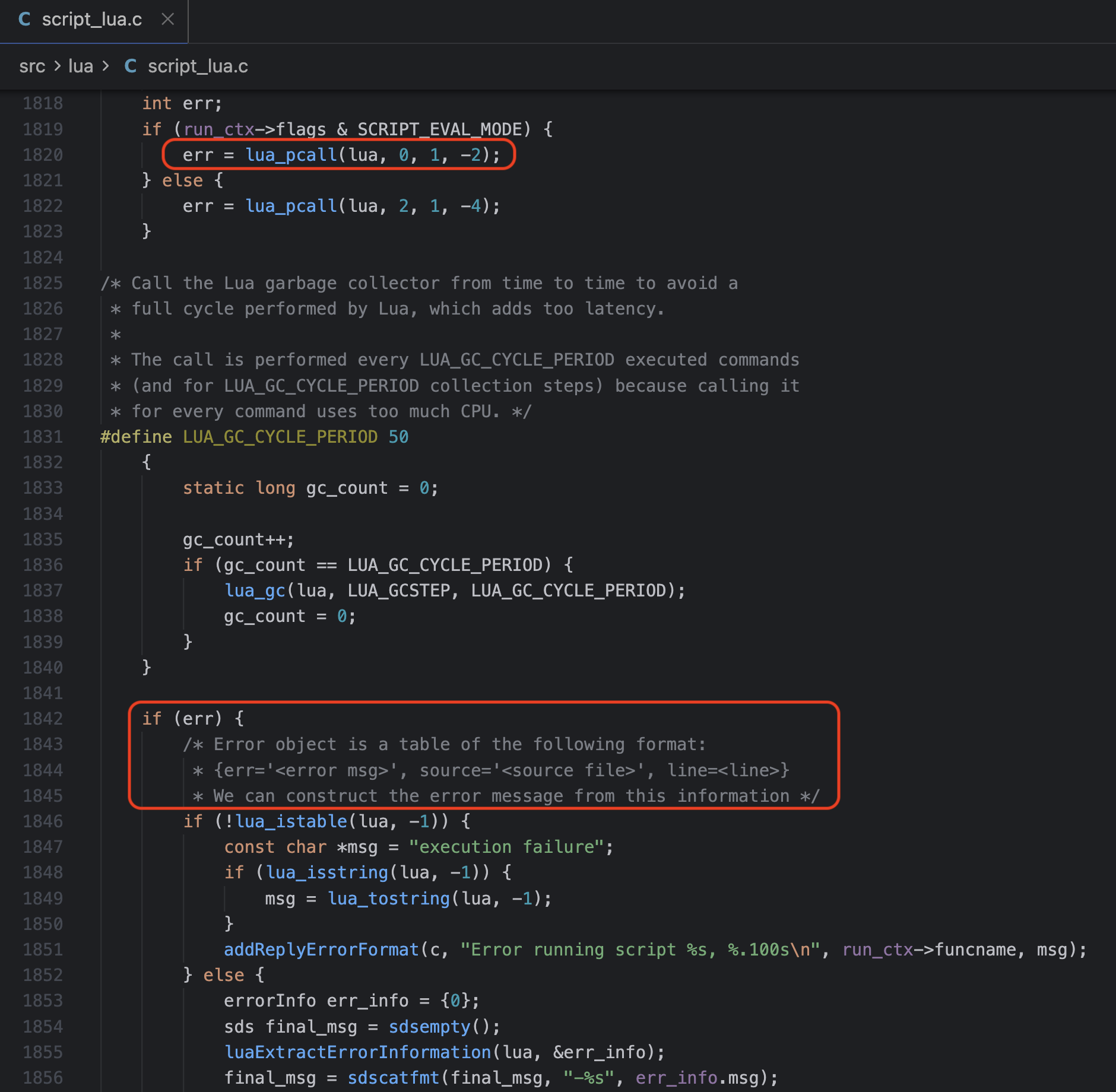
The key points of this function are:
- Executes the Lua script with
lua_pcall() - On error, extracts error information with
luaExtractErrorInformation() - Depending on the error type, sends the response via
luaReplyToRedisReply()or directly
How the error message is constructed and sent to the client when an error occurs is the core of this vulnerability.
5. How the redis.error_reply() Server API Works
Valkey’s Lua script engine provides a feature to return errors as a table when an error occurs. redis.error_reply() is the API used to define such error tables in a custom way.
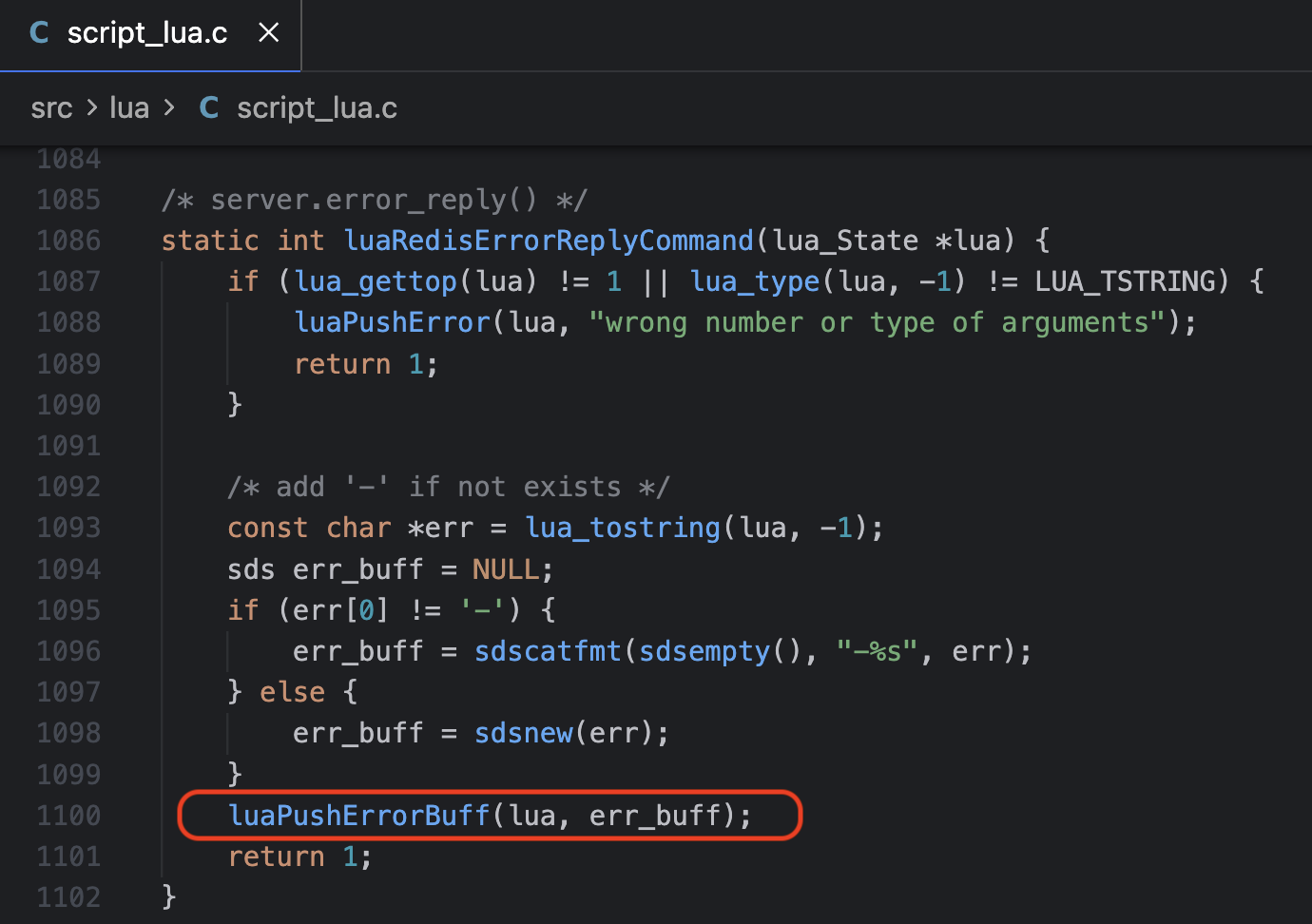
Calling this server API invokes the C function luaRedisErrorReplyCommand(). This function checks the number of parameters and whether the value is a string. If the string does not start with -, it prepends - and passes the result to luaPushErrorBuff() as the err_buff argument. This is because the RESP Error protocol format starts with -.
6. The error() Built-in Function
error() is a Lua built-in function that immediately halts script execution and raises an error. When a Lua script in Valkey calls error(), the value passed as an argument is sent to the client as an error response.

The key point here is that the error table returned by redis.error_reply() can be passed as the argument to error(). In this case, the value of the err field in the error table is sent directly to the client as a RESP Error response.
The attack flow is as follows:
redis.error_reply(...)→ Creates an error table containing a malicious payloaderror(error table)→ Halts the script and triggers the error response- Server → Sends the error message to the client (the vulnerability occurs in this process)
In other words, error() acts as the trigger that actually delivers the malicious payload created by redis.error_reply() to the client.
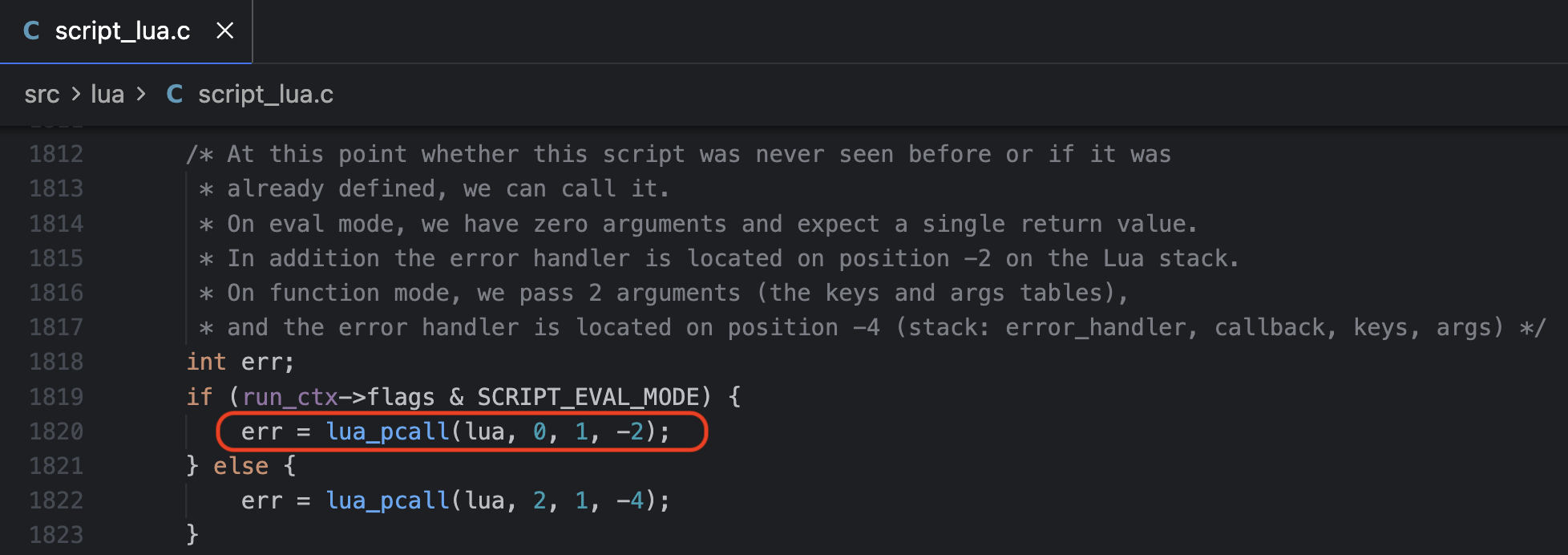
The following figure shows a portion of the luaCallFunction() function, where the error value raised by error() is captured by lua_pcall().
7. The luaPushErrorBuff() Function
The following figure shows a portion of the luaPushErrorBuff() function. It separates the error code from the input err_buff, trims \r\n with sdstrim(), and then constructs final_msg to populate the err field of the error table.
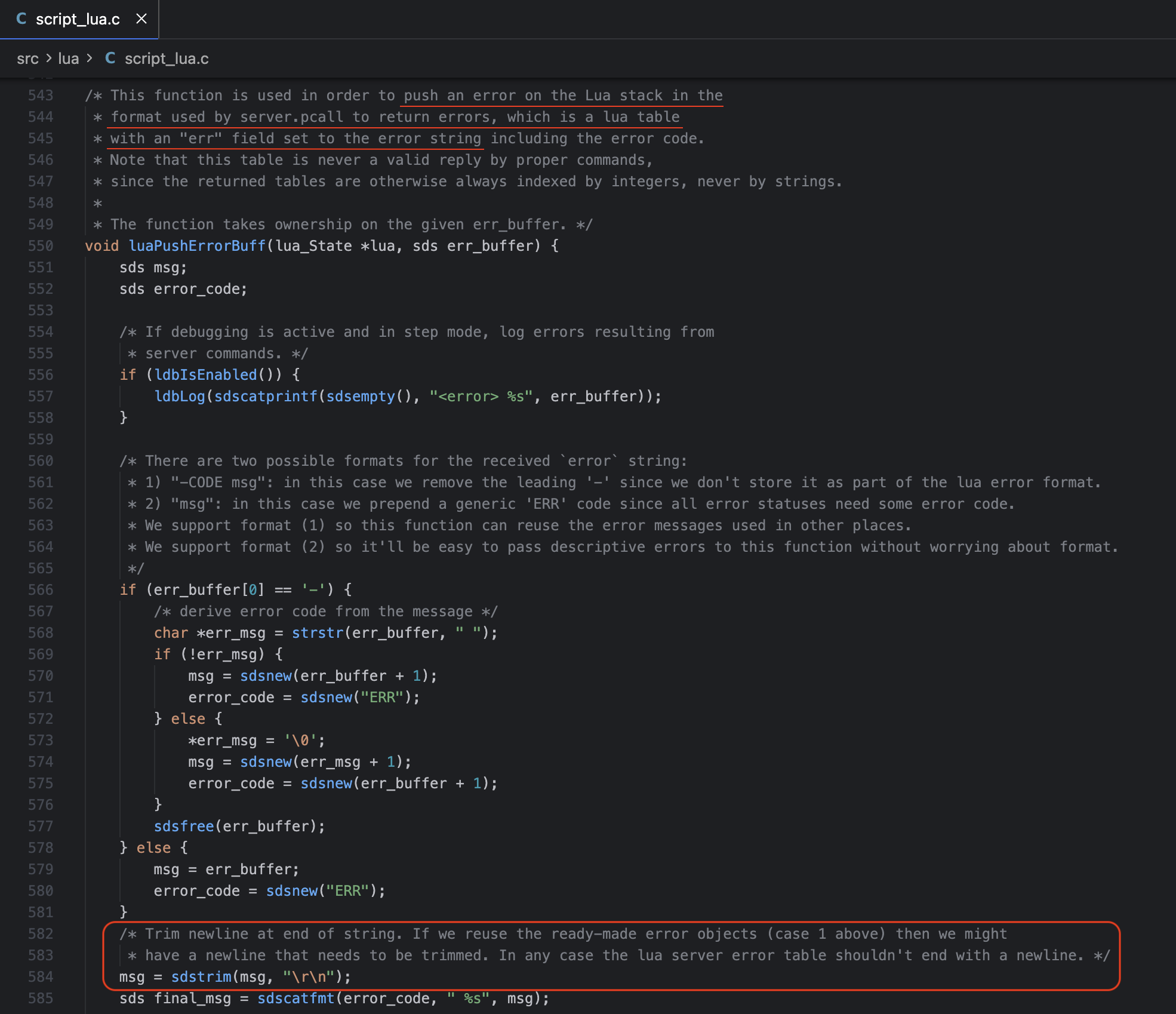
The important part here is that the vulnerability is caused by the sdstrim() function. The sdstrim(msg, "\r\n") function removes any \r or \n characters found at both ends of the msg string.
The problem with this function is that it does not remove \r\n from the entire string — it only removes \r\n from both ends of the string.
8. Vulnerability: Data Forgery via Socket Poisoning
Let us examine how a vulnerable error message is actually written to the client buffer. (Here, ‘client buffer’ refers to the server-side output buffer maintained per client connection, i.e., c->buf.)
Full Flow
luaCallFunction()
    ↓
luaExtractErrorInformation() → err_info.msg = "X\r\n+FAKE"
    ↓
sdscatfmt(final_msg, "-%s", err_info.msg) → final_msg = "-X\r\n+FAKE"
    ↓
addReplyErrorSdsEx(c, final_msg, flags)
    ↓
addReplyErrorLength(c, err, sdslen(err))
    ↓
addReplyProto(c, s, len)  ← s = "-X\r\n+FAKE"
addReplyProto(c, "\r\n", 2)
    ↓
_addReplyToBufferOrList(c, s, len)
    ↓
_addReplyToBuffer(c, s, len)
    ↓
memcpy(c->buf + c->bufpos, s, reply_len)  ← Direct write to client buffer
Detail
1. addReplyErrorSdsEx() - networking.c:706
Within this code, the addReplyErrorLength function is called, appending the error message to the buffer.
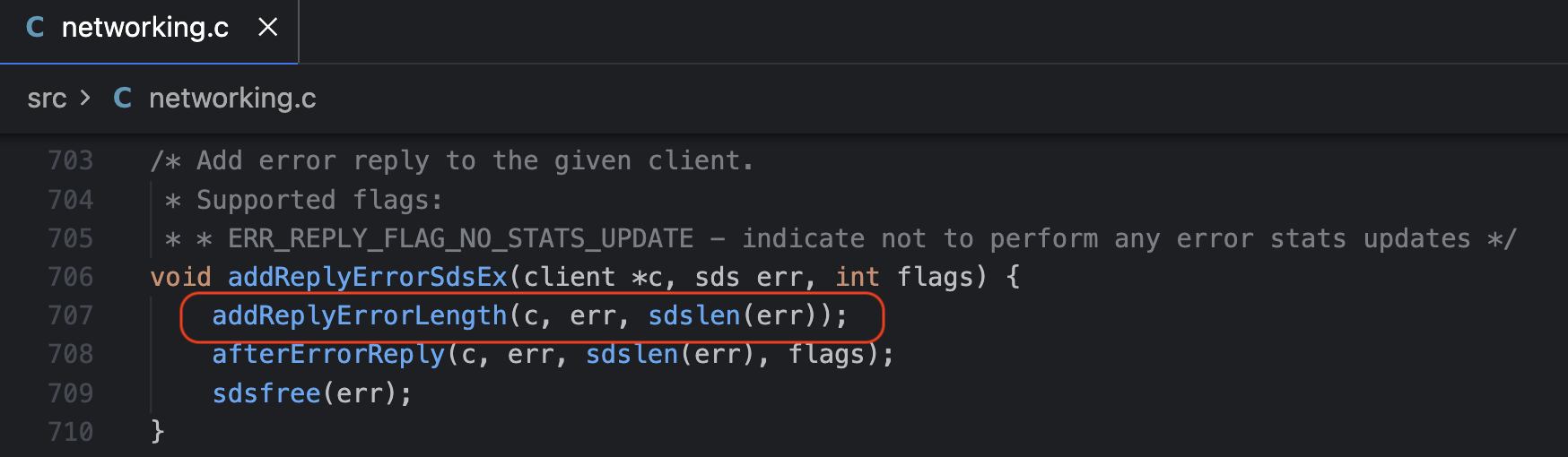
This function passes the error message through without any sanitization such as sdsmapchars().
2. addReplyErrorLength() - networking.c:565
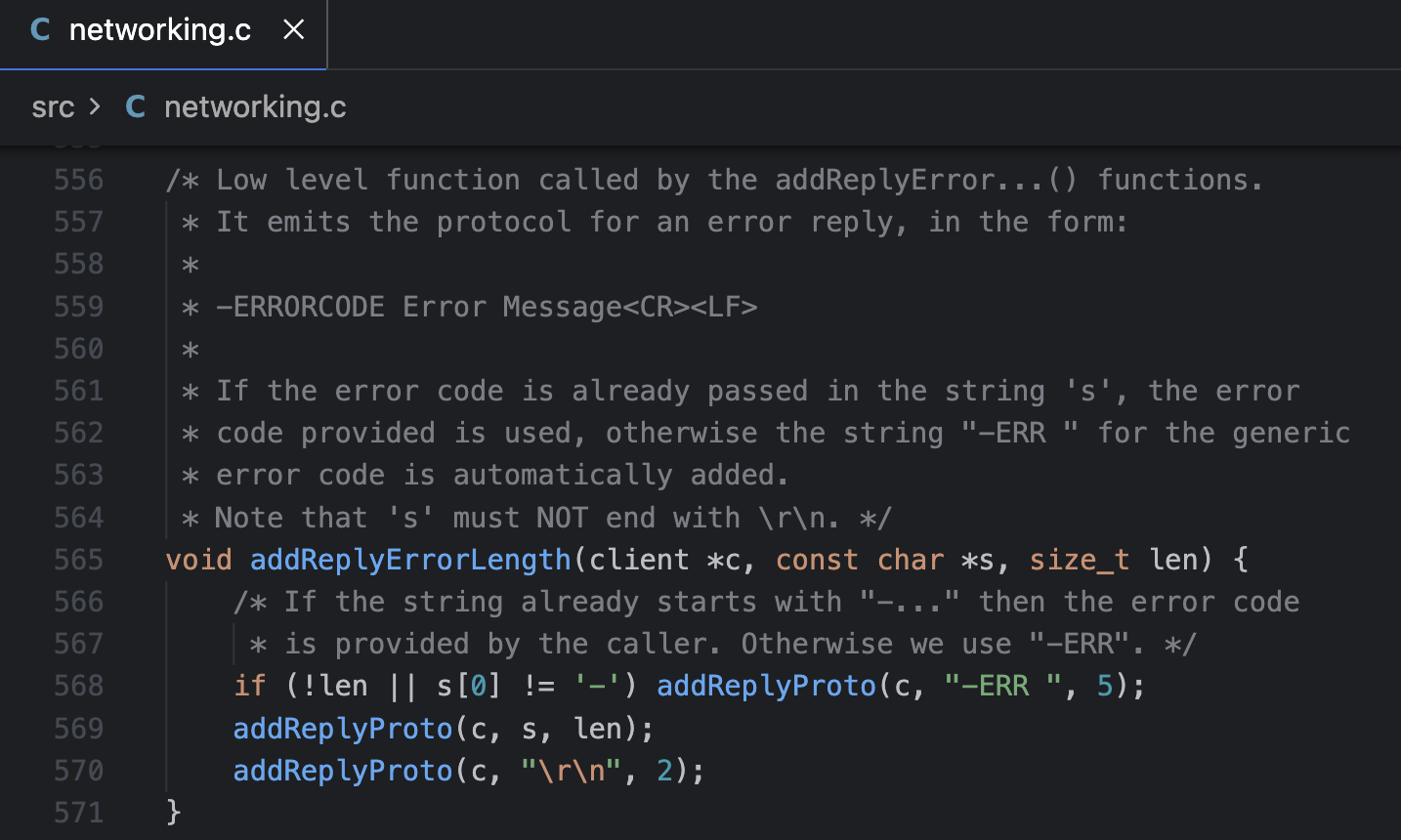
If the error message already starts with -, it is sent as-is. It calls the addReplyProto() function to place the value of s into the buffer.
3. _addReplyToBuffer() - networking.c:403
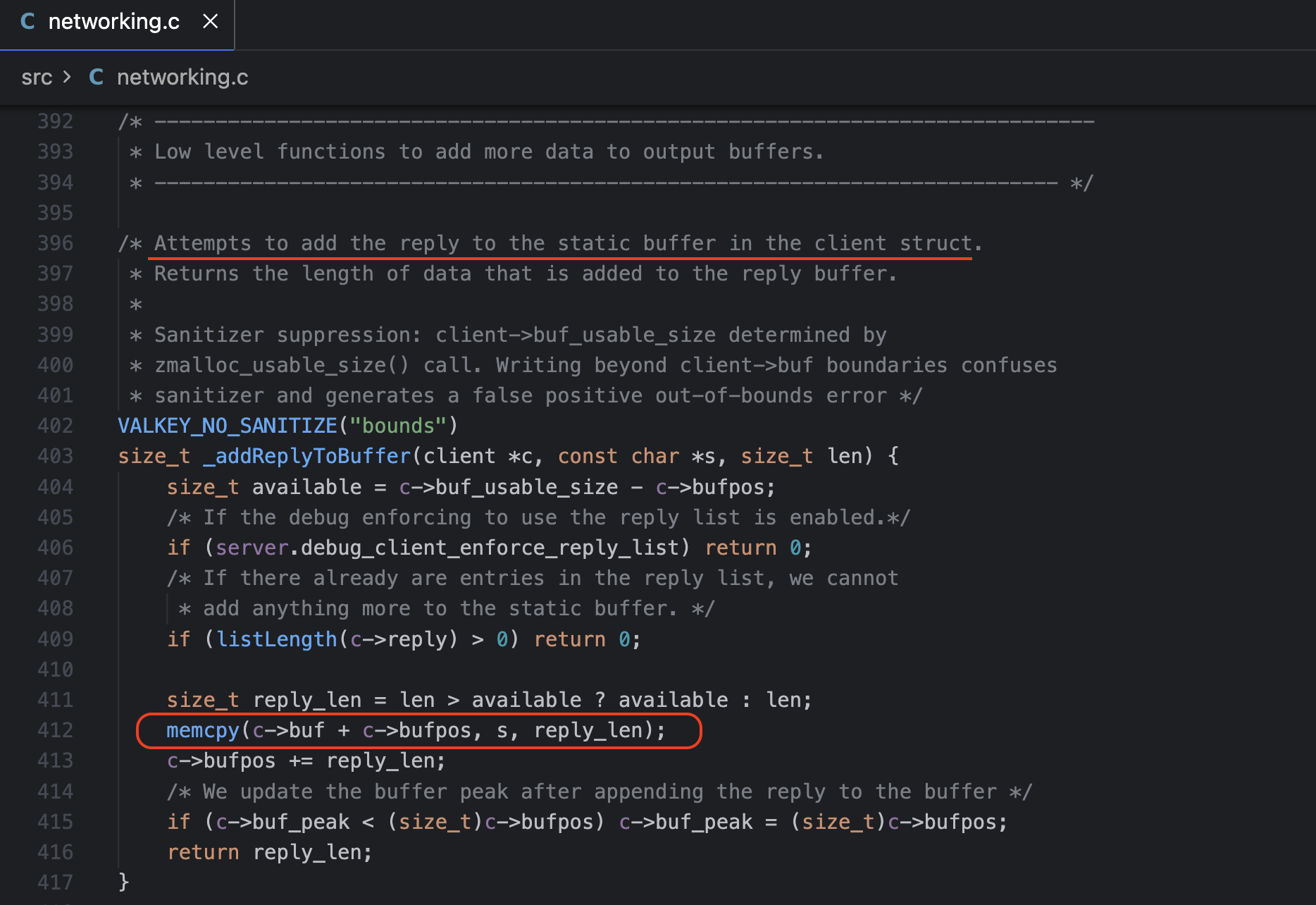
Finally, data is written directly to the client’s output buffer (c->buf) via memcpy().
Therefore, when an attacker executes error(redis.error_reply("X\r\n+FAKE")), the buffer is filled as follows.
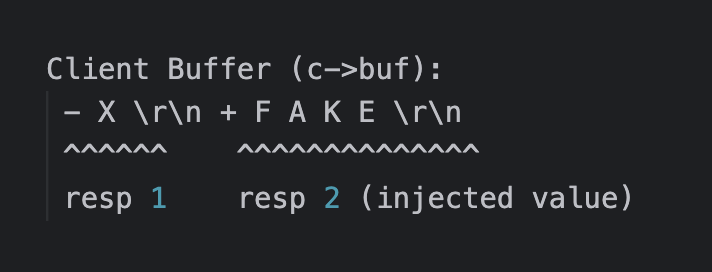
Since the client recognizes \r\n as the RESP message boundary, it parses this as two independent responses:
-X\r\n→ First response (Error)+FAKE\r\n→ Second response (Simple String) - processed as the response to the next command
Therefore, when a subsequent PING command is sent, instead of the server’s actual response (+PONG\r\n), the +FAKE remaining in the buffer is returned. This is how socket poisoning becomes possible.
9. Vulnerability: DoS
By leveraging RESP injection, it is possible to put the client into a waiting state, enabling a denial-of-service attack.
The RESP Bulk String type uses the format $length\r\ndata\r\n, and the client waits until it has received the number of bytes specified by the length.
If an attacker injects an enormous length value,

the client buffer is filled as follows.
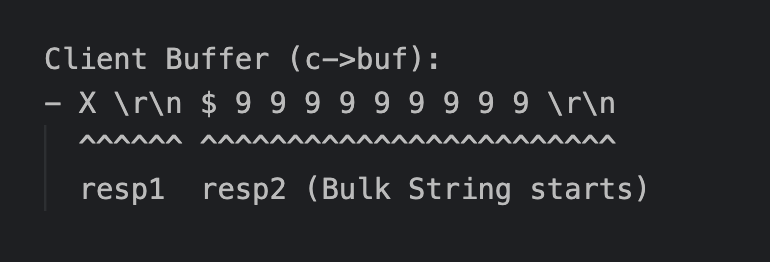
The attack scenario is roughly as follows:
- The first response
-X\r\nis processed normally (Error) - The second response
$999999999\r\nis parsed - The client waits for 999,999,999 bytes of data
- Since no data arrives, the client behaves abnormally
If this attack is performed simultaneously from multiple connections, a server-level DoS can occur through the following mechanism:
- All client connections hang
- Server connection slots are exhausted
- New clients cannot connect → Entire service goes down